
Complete Guide to Building a Professional Website with Ready-Made Themes
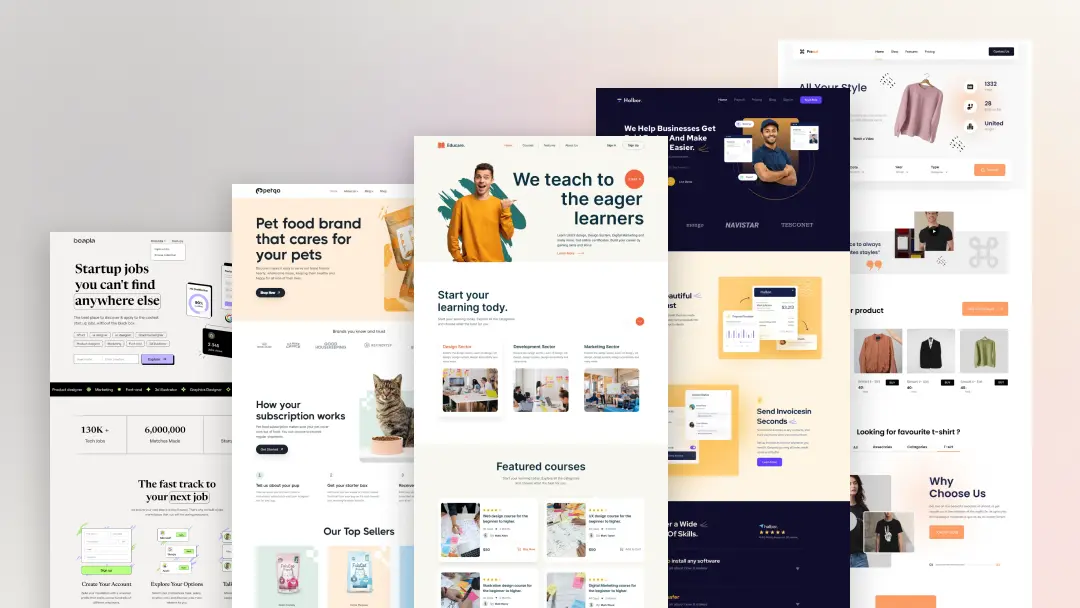
Building a professional website no longer requires months of development or a large budget. Ready-made themes have made it simple for anyone to create a modern, high-quality website in less time. These themes are designed to provide structure, design, and functionality in one complete package.
With the right theme, you can focus more on your content and business instead of technical work.
1. Understand Your Website Goals
Before selecting a theme, be clear about what you want to achieve.
Is your website for business, selling digital products, showcasing a portfolio, or sharing content?
Knowing your purpose helps you choose a theme that matches your needs and audience.
2. Choose a Theme That Matches Your Brand
Your website is part of your brand identity.
Select a theme that reflects your style, professionalism, and business values.
Look for:
-
Clean layout
-
Modern design
-
Easy branding options
3. Install and Set Up the Theme
Once you choose your theme, install it on your platform and activate it.
Most premium themes provide easy setup and demo import options.
This helps you:
-
Start quickly
-
Use ready-made layouts
-
Avoid building from scratch
4. Customize Design Elements
Change colors, fonts, and layouts to match your brand.
Customization usually includes:
-
Brand colors
-
Typography
-
Section spacing
-
Layout structure
This makes your website unique and professional.
5. Add High-Quality Content
Design alone is not enough. Your content should be clear and valuable.
Focus on:
-
Strong headlines
-
Simple text
-
Clear call-to-actions
-
Quality images and media
Good content builds trust and engagement.
6. Optimize for Mobile Devices
Make sure your website works perfectly on all screen sizes.
Check:
-
Mobile layout
-
Button size
-
Text readability
Mobile optimization is essential for success.
7. Improve Website Speed
A fast website gives a better user experience.
You can improve speed by:
-
Using optimized themes
-
Compressing images
-
Limiting unnecessary plugins
Speed directly affects user satisfaction and SEO.
8. Make Your Website SEO Friendly
Ready-made themes often support SEO features.
Ensure:
-
Proper heading structure
-
Fast loading
-
Clean code
-
SEO plugin compatibility
This helps your website rank better in search engines.
9. Add E-Commerce Features if Needed
If you want to sell digital products or services, choose a theme that supports e-commerce.
It should allow:
-
Easy product management
-
Secure checkout
-
Payment gateway integration
10. Test Before Launch
Before making your website live, test everything.
Check:
-
Links
-
Forms
-
Layout on different devices
-
Loading speed
Testing ensures a smooth user experience.
Why Ready-Made Themes Are the Smart Choice
Ready-made themes save time, reduce costs, and provide professional design. They are perfect for:
-
Startups
-
Digital businesses
-
Freelancers
-
Creators
They allow fast and reliable website development.
Why TRISOLMEDIA Themes Are Ideal
TRISOLMEDIA themes are built to help you create professional websites easily. They are:
-
Clean and modern
-
Fast and responsive
-
Easy to customize
-
SEO friendly
-
Perfect for digital products and services
They give you everything needed to build a strong online presence.
Final Thoughts
Building a professional website is easier than ever with ready-made themes. They provide structure, design, and performance in one solution. With the right theme and proper setup, you can create a powerful website that represents your brand and grows your business.
Build smarter. Design better. Launch faster with TRISOLMEDIA.
SHARE THIS :
BLOG
Related Articles
Complete Guide to Building a Professional Website with Ready-Made Themes
mohsin
January 29, 2026
No Comments

Why Digital E-Books Are the Future of Learning in 2026
mohsin
January 29, 2026
No Comments
COMMENT
Post a Comments
We’d love to hear your thoughts! Share your feedback, questions, or suggestions with TRISOLMEDIA. Your comments help us improve our themes, digital products, and overall experience for our community.